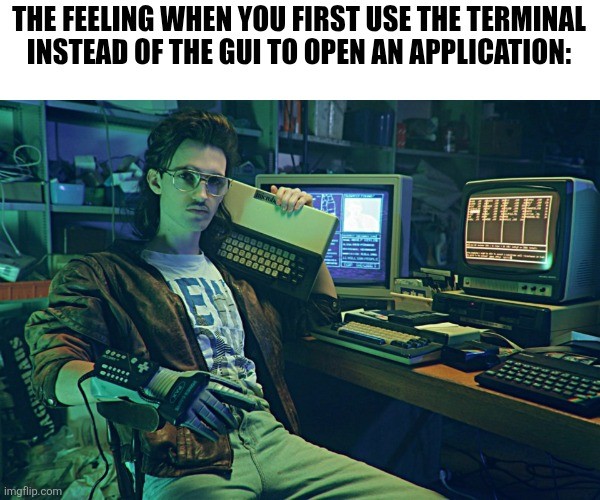
For those who don’t know the image source, it’s from Kung Fury, a short comedy (half hour) on youtube. Fully recommend for over the top parody of bad 80s action movies.
Just looked up Kung Fury 2 status yesterday. Still in limbo, but a 10 min sizzle reel leaked last year:
https://m.youtube.com/watch?v=WSIeKfxSA0k&pp=ygUXa3VuZyBmdXJ5IDIgc2l6emxlIHJlZWw%3D
Oooh, hadn’t seen that, I’ll be giving it a watch today! Thanks!
I was recently debugging something with the Junior on my team and told him to install Bruno to make a few API calls. He installed it, but then couldn’t find an icon for the Program anywhere (and obviously the Win11 Search bar was only delivering useless results). So I told him to just type “bruno” into his terminal and see what happens. It actually opened the program! I have never felt this smart before!
Ha, sounds like an eye opening moment for the junior dev!
Oh man, I haven’t thought about Kung Fury since seeing it in a double feature with Turbo Kid when it came out. Thank you.
When I use the CLI to launch an application it’s because it’s crashing
What do you mean bad 80s action movies?
This is literally Hackerman from kung Fury.
I also dont know what that means. They are all epic.
“Remember when I promised to kill you last?”
“That’s right. You did.”
“I lied.”
Yeah stuff like that. Or “where is bennet? He is letting off some steam”. :)
it’s from Kung Fury,
Well that explains the dinosaurs
Me typing code ./
It’s the power glove that really gets me. It’s so bad.
I put an optical drive in my PC recently, and I’ve been giggling like an idiot typing “eject” and “eject -t” into the terminal. Terminal commands that do something physical in the world delight me.
It feels magical to run systemctl shutdown now to my laptop through SSH and seeing my laptop turn off without touching it
Or systemctl reboot!
I’ve also been getting a kick out of my new 3D printer and controlling it remotely. Even though if I hit the X+10mm button and that message has to go to Prague and back before the Nextruder nudges to the right.
Prusas don’t run locally?
Prologue: I can’t talk from experience about the Mini, the XL, or that…$12,000 delta printer they’re offering? This is going to concern the conventional “MK” series of bedflingers and the new Core One.
All Prusa printers I’m aware of “run locally.” From the MK3S and back to the Prusa Mendel, they used various 8-bit ATMEGA 2560-based control boards which had no networking capabilities at all. You could add network capabilities with Octoprint, For awhile Prusa even included a way to attach a Raspberry Pi Zero W to the main board via the GPIO header.
Since the MK4, they now use a 32-bit ARM-based control board that has an Ethernet jack, and a removable Wi-Fi module. You can still walk up to the thing, poke the touch screen, and stick a USB stick in the side with G-Code on it, but we now have not one but two ways of controlling the printer remotely:
PrusaConnect is their cloud-based service. Either through a web browser, PrusaSlicer running on a PC or their smart phone app, you can monitor and control the printer across the internet, from anywhere. It integrates with Printables, their own Thingiverse with blackjack and hookers, and they even have a cloud slicing service. You can choose a model from Printables on your phone, their server will slice it and send G-code to your printer to start it printing. But, everything you do to it goes to the internet. So when I press the Preheat PLA button in PrusaConnect, that message crosses the Atlantic twice before the red light on my print bed blinks on.
PrusaLink is their local network control system, which consists of a web server running on the printer itself, through which you can view the current temperatures and upload G-Code (and firmware) files. That is it. You cannot so much as preheat the bed through PrusaLink. You can set it up in PrusaSlicer such that it will give you a button to upload G-Code to a printer directly across the LAN, but…
It feels really strange that I can preheat my printer either from its control panel, or across the internet, but not across my LAN.
Yes, they do. But you can now choose to download via Easy Print from your phone and run the printer if you want. I’ve never even tried the app. My Prusa is still my trusty Mk3s that runs on Klipper now.
Our AVR (audio video receiver, aka home theater amplifier) can be turned on via home assistant.
Felt magical the first time I turned it on by clicking a button.
I have to reconnect mine because I was just shipped a CD with a song on it I can’t find online anywhere…
Which you’re going to rip as .flac and .mp3 and share/upload somewhere for preservation, right?
I haven’t had a computer with a built-in SATA optical drive in years, just the crappy off-brand old recycled laptop drive in a random housing ones you get these days that require a good USB A-MicroB cable, and good luck finding one of those. Having a proper built-in drive is nice enough that I actually want to use it.
So I was playing with some of my old CDs, and noticed that my copy of Slippery When Wet is two-sided. Bwuh?! CDs aren’t two-sided, that’s a DVD thing. Sure enough, the “back” is a DVD that has the four music videos they made for the album, and two more copies of the music, one in “even better than Redbook Audio Somehow” stereo, and one in Dolby Digital 5.1 surround sound that has been lengthened, mostly just additional studio chatter before and after the tracks but one of the songs, I think it’s Raise Your Hands, has a lengthened bridge or something?
So I learned how to rip FLACs from a DVD!
Weird Al’s Poodle Hat has a .mov file on it.
Had a big ol time partying like it was 2004.
Put it on Soulseek once you rip it please! Others are likely looking as well!
Every so often I have to buy a DVD because it isn’t available online anywhere, and I always try to upload it somewhere as a community service when I do lol.
Saving lost media from getting lost is a very honourable activity and a Service for humanity.
More people have to realise
Pirates save our culture
Lost doctor who episodes are a great example
I never noticed but it feels like that’s “Cool Retro Term (CRT)” running that amber interface in the background there.
I’d be willing to guess it, anyway. :D
Is that a Nintendo power glove?
If anyone’s curious as to whether this scene was considered cringy when the movie came out, yes. Yes, it was.
As a 10 year old, this was the best movie I’d ever seen. I watched it again a few years ago, and realised I’d somehow failed to clock that the whole thing is one huge, expensive advert for Nintendo.
But it was still great.
I was 13 when it came out, and I knew it was an ad for Nintendo, but I didn’t care. It was exceedingly rare to see video games focused on like this in a movie and I really liked it! Even today, it’s cheesy, but not a bad movie.
When you’re going up against Adolf Hitler and need to travel back in time, it’s the right equipment for the job.
You mean the Kung Führer?
Adolf Hitler? Ive heard of that guy!
I thought a bazooka was the preferred weapon for that.
It’s so bad.
Yeah, badass.
I’m going to refer you to a wizard
Yup!
DANGER: HACKING TOO MUCH TIME
I’m so old that when I started there wasn’t any choice. It was command line or go outside!
I started working as a professional programmer in 1995. From the outset, I was pitching to clients how a GUI (thanks, Visual Basic 3!) would be so much easier for their employees to use than a command prompt. I find it very interesting how command prompts are still around 30 years later. I’m way more amazed by the continued existence of vinyl LPs, however.
I’m not that old but old enough that if we wanted to play Keen or Secret Agent Sam or Cosmo we had to boot into MS-DOS mode and run it from a floppy drive. Don’t remember if it was Win 95 or 98.
LOADM "CASHMAN"
EXEC
me at the ripe age of 12 discovering i could type
firefoxand it would open firefoxso uhm i use a window manager now
I don’t use the termulator for opening apps that can bepened through GUI simply because the termulator has to stay open and that clutters the taskbar.
bro doesn’t know about
&elaborate
It opens the process in the background.
Idk I don’t know about
&either (I know&&but I’m guessing it’s different), but you can ctrl+z it, then usebgto run it in the background, thendisownto divorce it from the terminal.I’ll try
firefox &when I get home and see what happens though, I’m assuming that’s what he meant.&runs the program in the background right away.I tried & and it lets you continue sending commands into the terminal. Typing firefox & and then disown and closing the terminal yields the same result as opening firefox through the GUI.
Dude awesome! Good to know, thanks!
info bash
More like, the app complains about not being able to find the window manager due to some environment variables missing in the shell env, and refuses to launch.
Do you even export DISPLAY, bro?!??