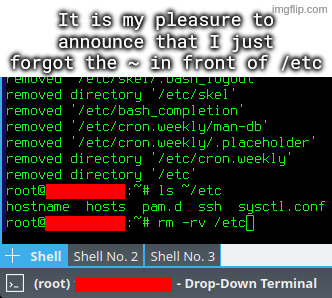
I accidentally untarred archive intended to be extracted in root directory, which among others included some files for /etc directory. I went on to rm -rv ~/etc, but I quickly typed rm -rv /etc instead, and hit enter, while using a root account.
Yakuake terminal: https://apps.kde.org/yakuake/
never heard of ~/etc
I don’t know if it should be a bad thing. Inside the tar archive the configs were already organized into their respective dirctories, this way with
--preserve-permissions --overwriteI could just quickly add the desired versions of configs.
Some examples of contents:-rw-r--r-- root/root 2201 2026-02-18 08:08 etc/pam.d/sshd -rw-r--r-- root/root 399 2026-02-17 23:22 etc/pam.d/sudo -rw-r--r-- root/root 2208 2026-02-18 09:13 etc/sysctl.conf drwx------ user/user 0 2026-02-17 23:28 home/user/.ssh/ -rw------- user/user 205 2026-02-17 23:29 home/user/.ssh/authorized_keys drwxrwxr-x user/user 0 2026-02-18 16:30 home/user/.vnc/ -rw-rw-r-- user/user 85 2026-02-18 15:32 home/user/.vnc/tigervnc.conf -rw-r--r-- root/root 3553 2026-02-18 08:04 etc/ssh/sshd_configKeeps permissions, keeps ownership, puts things where they belong (or copies from where they were), and you end up with a single file that can be stored on whatever filesystem.
I am still triple checking when I see /dev/sda as a target drive in such utilities. I use NVMe, so nowadays that’s probably a flash drive for me, but it still gives me adrenaline when I notice it.
life hack: alsways make a new directory to extract something in. that way you dont have to rm a bunch of random files, and maybe sone dotfiles you’ll never notice or know where they came from